AFT SonicDeCloner *FREE* — Acoustic De-Duplication ToolAFT SonicDeCloner is a freeware audio de-duplication tool that automatically detects acoustically similar audio files within a folder. Instead of comparing file contents at the byte level, the tool analyzes the sound itself. It uses our proprietary patented acoustic fingerprinting algorithm, part of AFT (Audio Fingerprinting Tools) and AudioTag.info, to match audio content regardless of file format or compression. The algorithm is designed to identify recordings originating from the same performance or source, rather than tracks that merely share the same melody. The tool is fully stand-alone and works offline. It accepts a wide range of audio and media file formats, including mpg, mp2, mpe, mpv, ogg, mp4, m4p, m4v, mp3, mpa, aac, oga, aif, iff, m4a, wav, wma, 3g2, 3gp, asf, avi, flv, mov, swf, vob, wmv, mpeg, opus, and webm. AFT SonicDeCloner is provided free of charge for personal, non-commercial use by AudioWatermarking.com, a technology provider specializing in acoustic fingerprinting and audio watermarking. AFT SonicDeCloner key features: - Acoustic-level detection: uses the AFT fingerprinting algorithm to analyze actual sound content rather than file metadata or binary data 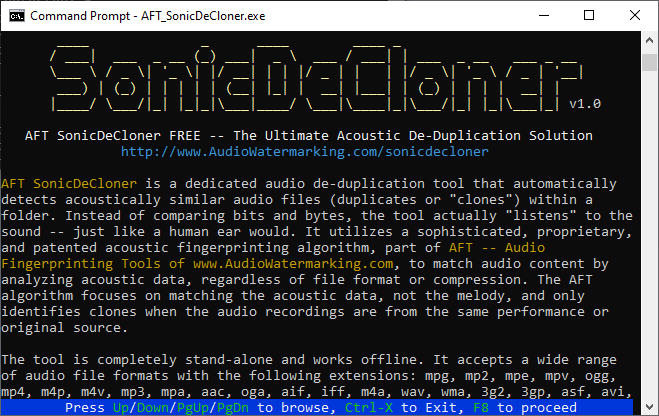 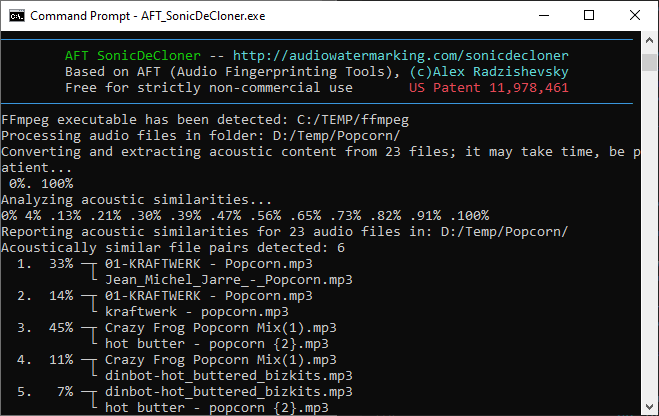
Who it is forAFT SonicDeCloner is intended for music collectors, DJs, producers, archivists, sound engineers, and anyone managing a sizable audio library. It is particularly useful when duplicate or near-duplicate files have accumulated over time across different sources, formats, and quality levels. Typical benefits include keeping only the preferred versions of acoustically identical recordings, reducing unnecessary storage use, improving library organization, and processing large collections more efficiently. DownloadWindows: click to download (.ZIP including signed Windows EXE) How to useThe program is a console application with a text-based user interface. Unzip the package into a dedicated folder. After extraction, the folder should contain the executable AFT_SonicDeCloner, documentation files, cygwin1.dll (Windows only), and the FFmpeg executable. Launch the program without parameters and follow the on-screen instructions. Use the keyboard to navigate to the folder you want to analyze, then press F8 to start the acoustic scan. Analysis time depends on the number of files and available system resources. When processing is complete, the program displays the detected duplicates on screen and writes a copy of the results to a text file named AFT_SonicDeCloner_result_timestamp.txt. Advanced users can access additional options and controls through the command line. For faster processing and to avoid file-conversion overhead, 8 kHz mono RIFF WAV PCM files (.wav) are recommended. Share it!If you find this tool helpful, please share it with a link to www.AudioWatermarking.com/sonicdecloner. LimitationsThis free version can de-duplicate up to 20,000 files in a single folder. If you need an unlimited version, please contact us. Commercial version: available upon request. Commercial inquiriesGet in touch: tools [at] audiowatermarking.com |
|
 |
Proprietary audio watermarking and acoustic fingerprinting for content protection, forensic tracking, authentication, and monitoring |